Platform administrators and access
Who holds operator access, and the second factor it requires.
/platform → Admins lists the accounts holding operator access.
Two-factor is not optional here
The platform console sits behind a step-up authentication gate. An account with operator access must complete a second factor before the console will open — enrolment and step-up both happen at /account/mfa, which deliberately sits outside the gate so an administrator can reach it to enrol.
Every page under /platform is behind this. Reaching one with a password-only session gets you the gate, not the console:
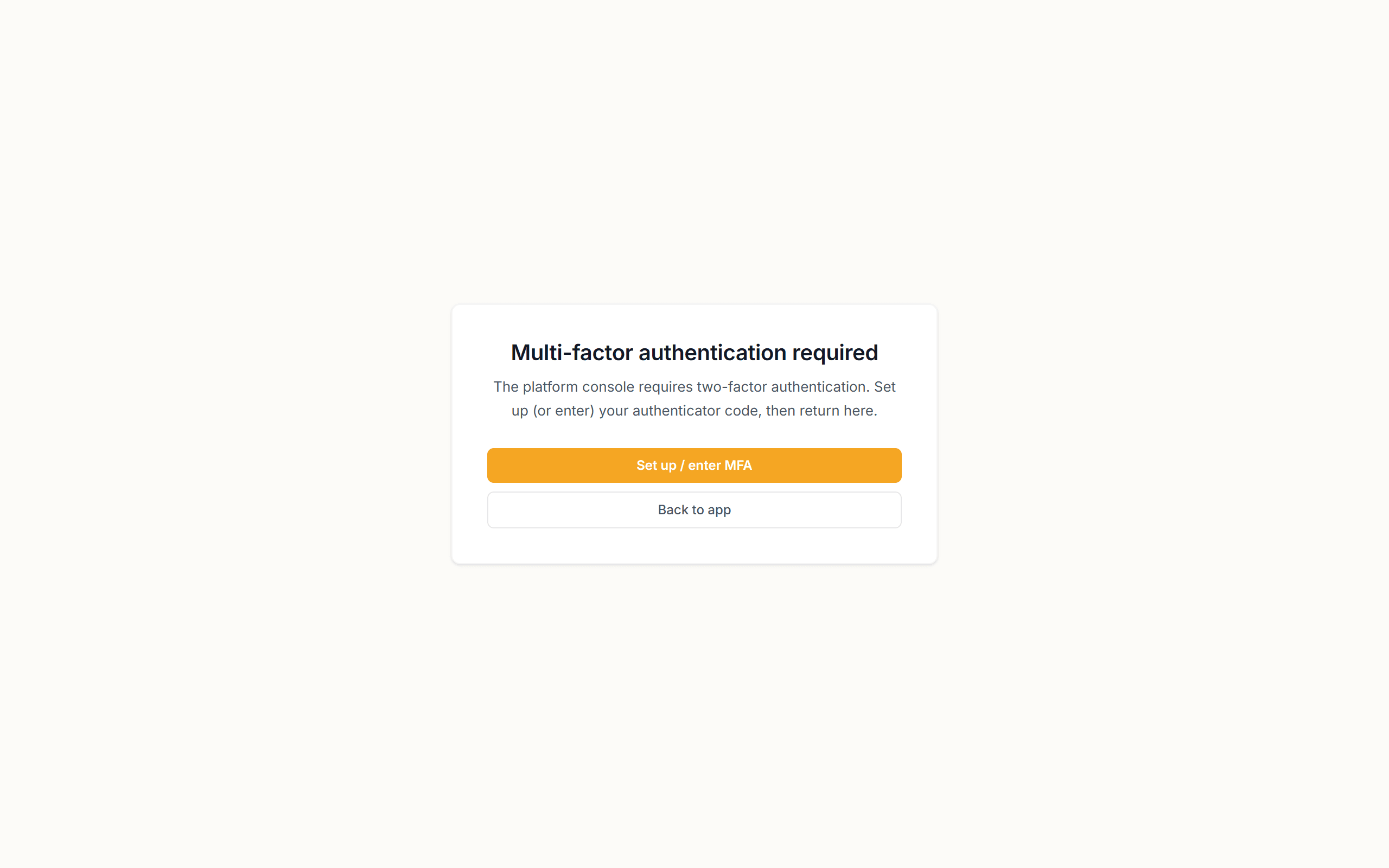
Select Set up / enter MFA to satisfy it, or Back to app to return to normal administration.
The screenshots in this chapter stop here deliberately. Capturing the console itself needs a completed second factor, and the automated pass that generates this guide holds no operator's authenticator — an unillustrated section is better than one illustrated with the wrong screen.
Practices
- Keep this list as short as it can be. It is the most powerful access in the product: it can suspend a live organisation and stop several hundred people clocking in.
- Review it whenever someone changes role or leaves. Operator access is the last thing anyone remembers to revoke.
- Enrol two-factor before granting access, not after — an unenrolled operator account is an account that cannot do its job in an incident.