Requesting time off
Send a PTO, sick, unpaid or other leave request from web or Android.
For everyoneUpdated 31 August 2026
Time off lives on the Schedule page — there is no separate Time Off menu item.
Web
- Open Schedule and select the Time Off button in the toolbar.
- Choose the type — PTO, Sick Leave, Unpaid Leave, Other.
- Pick the start and end date, add an optional reason, and submit.
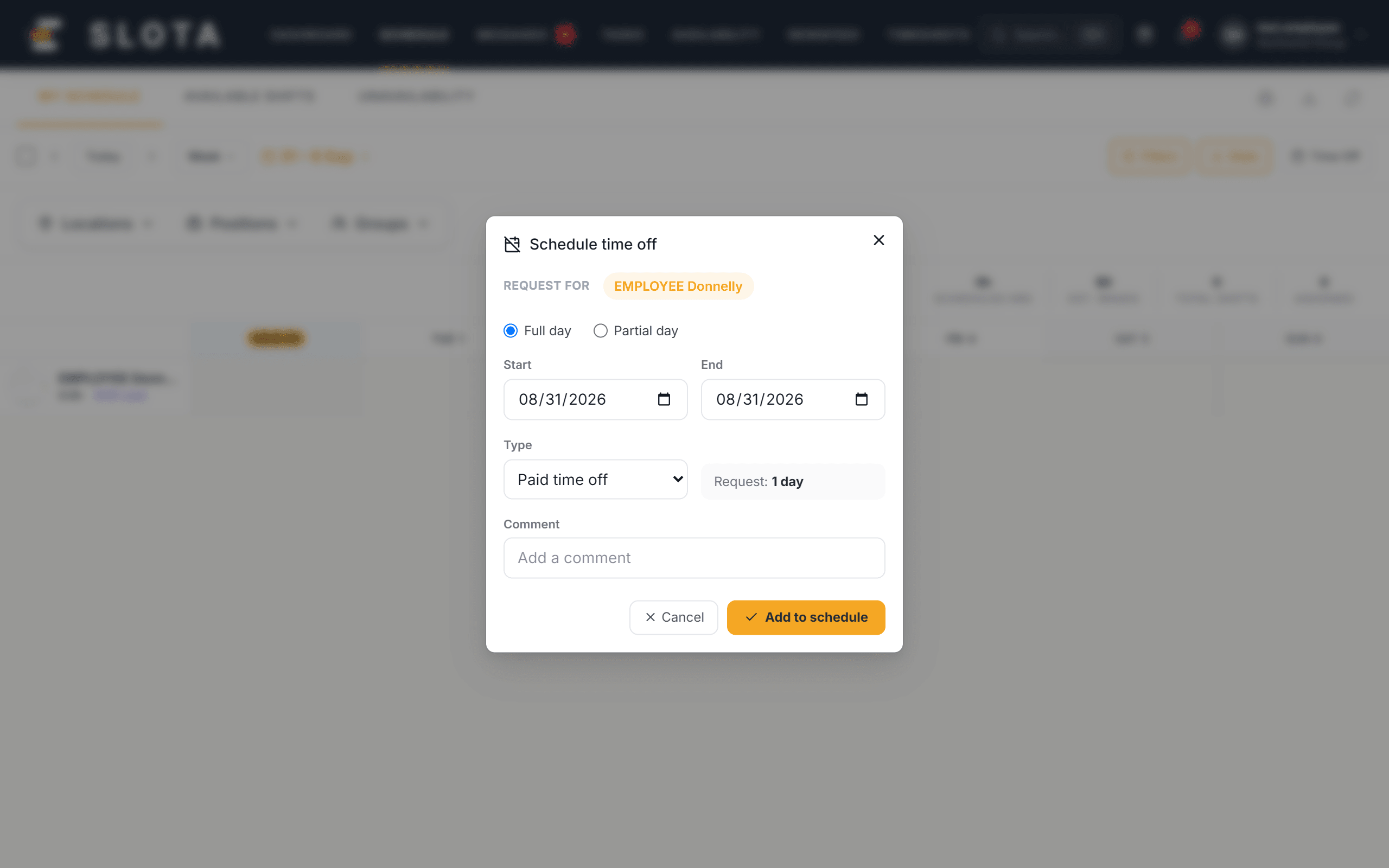
Your request is recorded as Pending for a manager to approve. Pending leave shows on the schedule grid marked Time off · Pending, so you can see it sitting against the days it covers. You can withdraw your own pending request.
Android app
- Go to Profile → Time off and tap + Request.
- Same types, same fields.
- You'll see "Your time off request has been sent for review." Pull down to refresh the list.
When a manager decides, the status changes to Approved or Rejected and you receive a notification ("Time Off Approved ✓").
What can stop a request
Your administrator sets these in Settings → Time Off:
- Minimum notice required — requests must be submitted this many days ahead.
- Max consecutive days — the longest single request allowed.
- Blackout periods — peak periods when requests are blocked.
- Allow negative balance — whether you can take PTO you have not accrued yet.