Time clock, overtime & kiosk settings (admins)
Configure clocking rules, overtime, breaks, geofencing and kiosks.
For administratorsUpdated 31 August 2026
Open Settings → Time Clock. Everything about attendance is configured here.
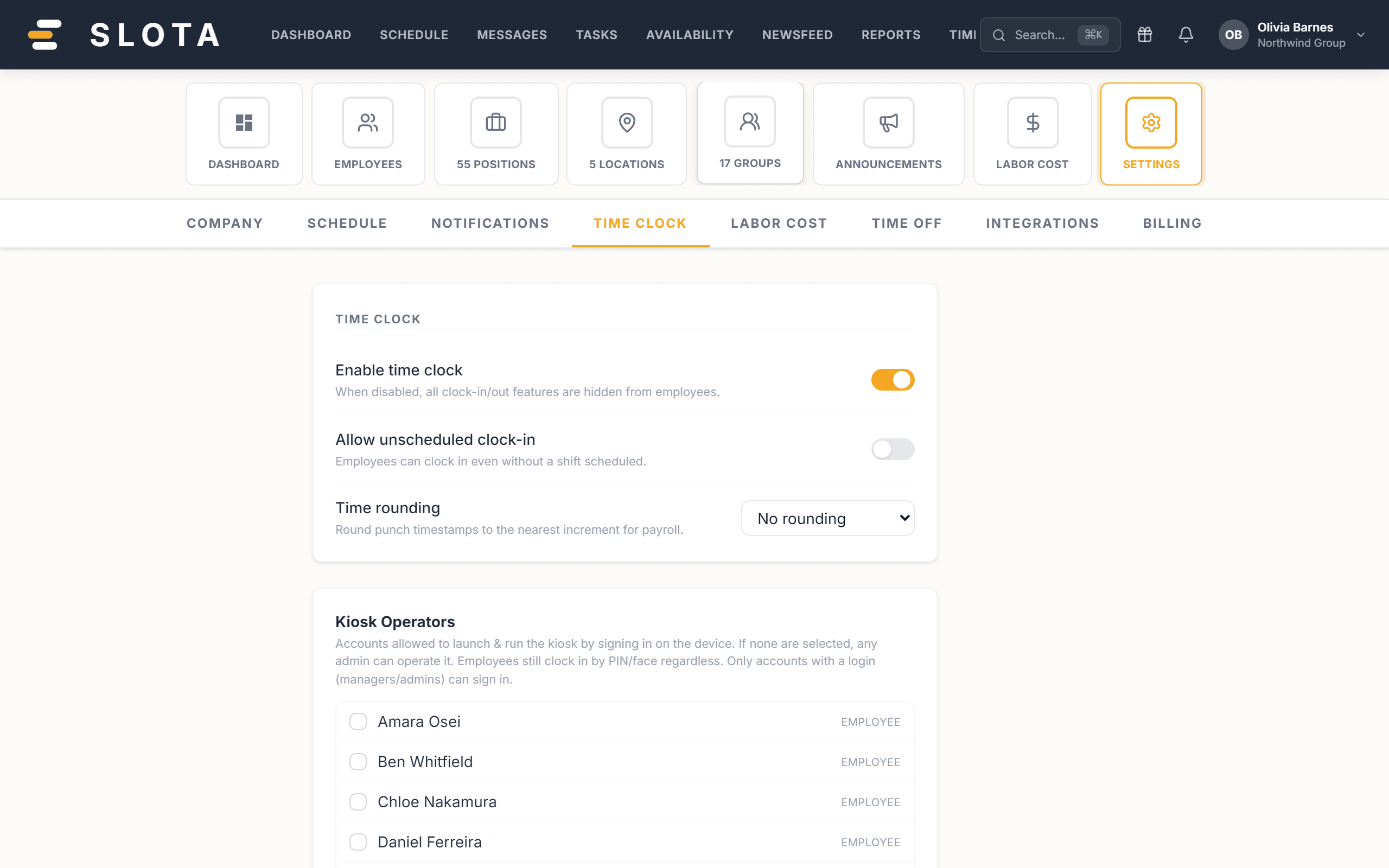
Time clock
- Enable time clock — master switch; off hides all clock-in/out features from employees.
- Allow unscheduled clock-in — let staff clock in without a scheduled shift.
- Time rounding — round punches to the nearest 5 or 15 minutes for payroll, or not at all.
- Allow early clock-in with a configurable window, and Auto clock-out after N hours as a safety net.
Overtime
- Daily OT threshold (hours/day) and OT multiplier (e.g. 1.5×).
- Optional Double OT threshold and multiplier for long days.
Weekly overtime, holiday pay and spread-of-hours live in Settings → Labor Cost.
Breaks
- Allow breaks on time clock — shows a Break button on the kiosk so staff can start/end a break without clocking out.
- Required break after N hours and a minimum break duration.
- Require break attestation — at clock-out, employees confirm whether they took their break (taken / missed / waived).
- Per-location break rules set a min shift length (hours), required break (minutes) and whether the break is paid.
Geofencing
- Enable GPS geofencing to validate location at the punch.
- Enforcement points — Clock-in and clock-out, Clock-in only, or Clock-out only.
- What happens outside the fence — warn, block or flag for review.
The fence radius itself is per-location, set in Settings → Locations.
Kiosks
Kiosks are registered here with a label, location and authentication mode (PIN, with optional face check and face enrolment). You can revoke a kiosk's session or delete a kiosk at any time.
Practices
- Decide rounding before the first punch. Changing it later does not retroactively re-round entries already recorded.
- Start geofencing on warn or flag for review, not block. Watch a fortnight of flags, widen the radius where honest staff are tripping it, then tighten enforcement.
- Auto clock-out after N hours is a safety net, not a policy. Set it above your longest genuine shift, or you will manufacture wrong end times.
- Turn on break attestation only if you will act on the answers. Collecting "I missed my break" and doing nothing with it is worse than not asking.