Integrations and calendar sync
Subscribe to your shifts from Google, Apple or Outlook Calendar.
For everyoneUpdated 31 August 2026
Open Settings → Integrations.
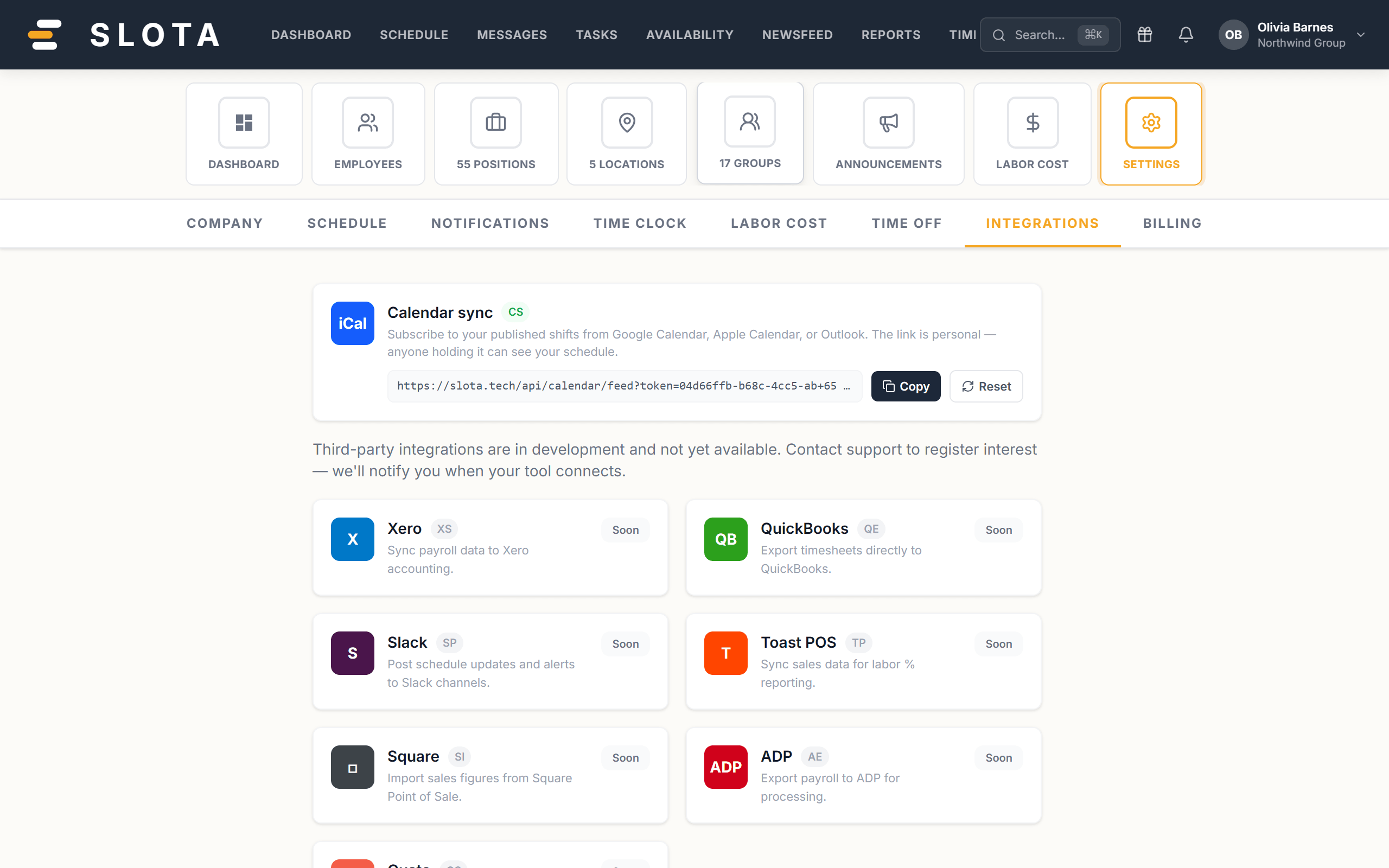
Calendar sync — live
Subscribe to your published shifts from Google Calendar, Apple Calendar or Outlook.
- Copy the feed URL.
- Add it as a subscribed calendar in your calendar app.
- Your published shifts appear and update as the roster changes.
The link is personal — anyone holding it can see your schedule. Treat it like a password. If you have shared it or think it has leaked, use Regenerate link, which revokes the old one immediately.
Everything else — not yet
Xero, QuickBooks, Slack, Toast POS, Square, ADP and Gusto are listed and badged Soon. They are shown so you can see what is planned; none of them are connected today. Nothing on this page will export your payroll to an accounting system yet.
Practices
- Subscribe rather than export. A subscribed feed keeps up with roster changes; a one-off export is stale the moment a shift moves.
- Regenerate the link when someone leaves a shared device signed in.