Positions and stations (admins)
Job roles, their colour and default rate, and how they become deployment stations.
For administratorsUpdated 31 August 2026
Open Settings → Positions. A position is a job role — and the same record doubles as a deployment station.
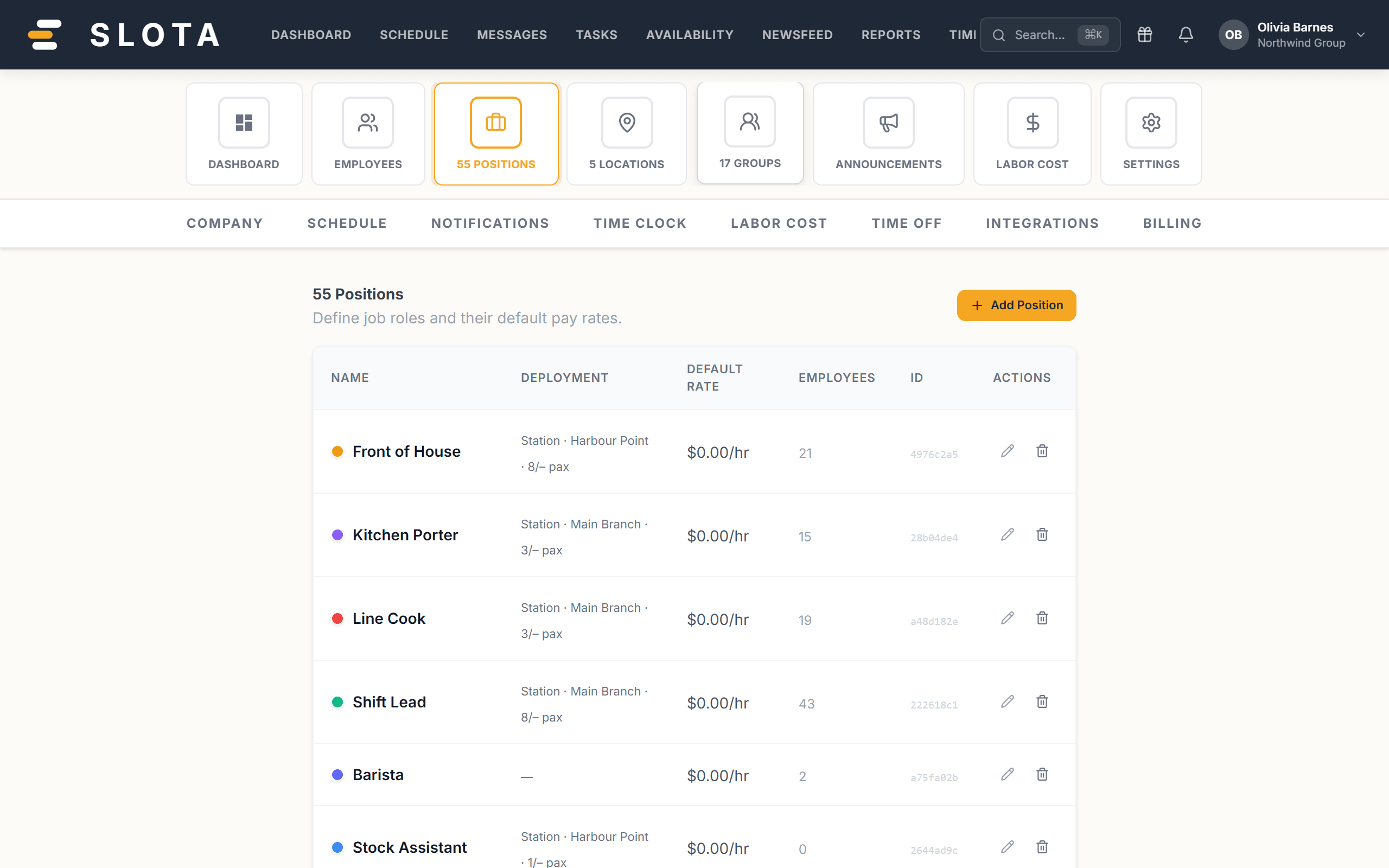
Adding a position
- Position name (required) — e.g. "Server", "Chef".
- Colour — this is what colours the shift blocks on the schedule. Pick colours that are distinguishable at a glance, not just pretty.
- Default hourly rate — pre-fills the wage estimate for shifts in this position when the person has no individual rate.
Deployment fields
The same form configures the position as a station:
- Station at location — bind the station to one outlet.
- Sub-position of — nest one level deep under a parent station. Sub-positions inherit the parent's location.
- Required pax — weekday and Required pax — weekend — the headcount the station needs (0–99). These drive the blue/red counters in the Deployment grid.
Practices
- Create positions before the first shift. Position and location are both required on a shift.
- Use the default rate as the honest baseline and override per person under their profile's Wages tab.
- Only set required pax for stations you actually staff to a number. An empty value means "no target", which is better than a wrong one.
- Nesting is one level. If you find yourself wanting two, you probably want a second station.
Slota validates that a deployment parent and its location belong to the same organisation and location family when you save. A mismatch is rejected rather than silently stored.